
An AI demo can be put together in an afternoon: a language model, some documents and a screen to ask questions. Putting it to work inside a company is something else. It has to use your data, and only the data it should, answer with what is true, connect to your systems, leave a trace of what it does and not break when the model changes.
What separates the two is the AI architecture: the pieces around the model and how they connect. This guide explains what they are and the most common patterns in business.

The layers of an AI system
| Layer | What it does | Examples |
|---|---|---|
| Data sources | The company’s knowledge and data | ERP, CRM, email, documents, databases, website |
| Knowledge (retrieval) | Finds the relevant information for each question or task | Chunked document index, embeddings, vector database (for example, PostgreSQL with pgvector) |
| Model | Understands, reasons and writes | A large language model (LLM) from one provider or another, or your own |
| Orchestration and tools | Decides the steps and calls the tools | Multi-step flows, agents with tools, API calls, MCP |
| Deterministic code | What the AI should not do | Calculations, validations, business rules, writes to the ERP |
| Control | Prevents made-up or off-topic answers | Input filters, answers from approved content only, review of every answer, hand-off to a person |
| Observability and evaluation | Knowing whether it works and whether it gets worse | Logs of conversations and actions, test question sets, metrics |
| Security and privacy | Who sees what and where the data lives | Permissions, EU hosting, data not used to train models |
The model is just one layer. In practice, almost all the work and almost all the problems are in the others.
Three common patterns
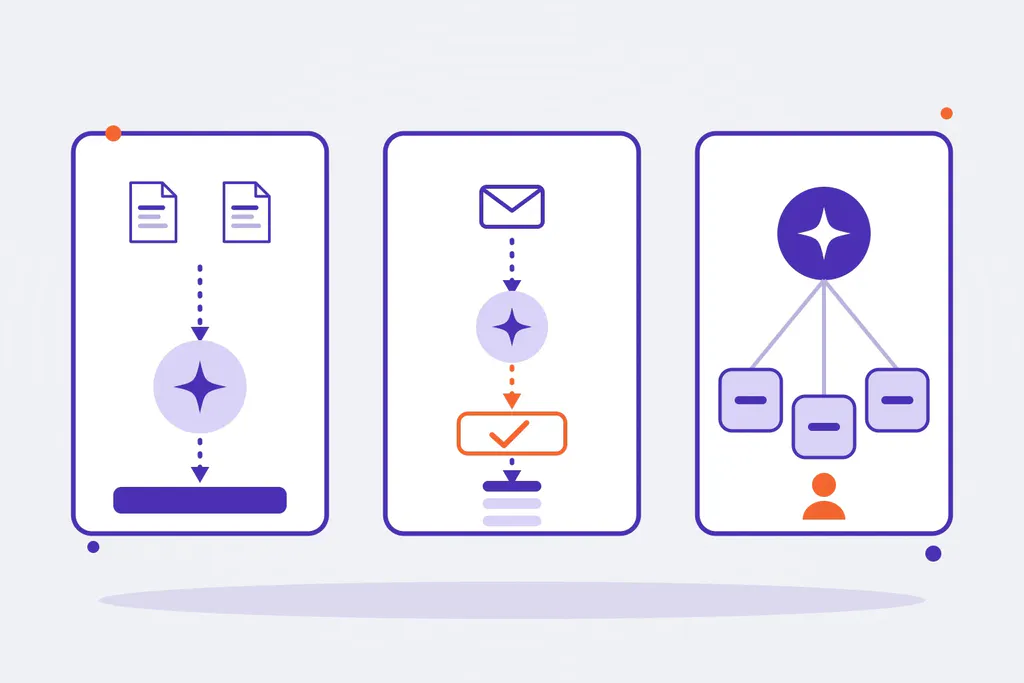
1. Assistant with a knowledge base (RAG). An assistant answers questions from customers or the team using only documents the company has approved. The question becomes a search, the relevant fragments are retrieved and the model writes the answer from those fragments, citing the source. If it cannot find the answer, it says so or hands off to a person.
2. Automation with data extraction. An order or an invoice arrives as a PDF by email. The AI reads the document and extracts the data; code validates it against the ERP (customer, items, prices); if everything matches, it is recorded automatically, and if something does not, a person reviews it. The AI does what code cannot (understand a document) and code does what the AI should not (decide and write to the ERP).
3. Agent with tools. An agent receives a goal (“prepare the quote for this request”) and decides which tools to use: look up the catalogue, calculate prices, draft the document. It is the most powerful pattern and the one that needs the most control: limited tools, minimal permissions and human validation before any action that cannot be undone.
How to stop the AI from making things up
A business system cannot rely on the model “behaving”. Control is designed in layers:
- Before: an input filter rejects off-topic requests.
- During: the model writes only from retrieved, approved content, not from what it “knows”.
- After: a second check reviews every answer before it goes out, and when in doubt it hands off to a person.
- Always: everything is logged, and a set of test questions is run every time something changes (the model, the documents or the instructions).
Architecture decisions worth making early
- Do not depend on a single model provider. Models change every few months. With a layer that isolates the provider, switching models is a setting, not a project.
- Separate what the AI does from what code does. Anything that can be solved with rules is better solved with rules: cheaper, faster and error-free.
- Data where it belongs. Decide where it is hosted, which providers process it and on what terms before you start, not afterwards.
- Measure from the start. Without logs and tests there is no way to know whether an improvement really is one.
- Start with a small case. One process, with real data and a measurable result, and grow from there.
Who designs the architecture
Designing these pieces is the job of an AI architect, and building them and connecting them to the company’s systems is the job of an AI integrator. At Omitsis we do both: we design the solution for each process, with deterministic code or with AI, integrate it with your ERP, CRM, email and documents, and maintain it.
See how we apply it on our AI integration page and in our AI implementation for businesses service, or tell us about your case.