
Many companies already have a chatbot on their website, and many end up removing it. The ones built on buttons and fixed answers fall short as soon as someone asks something nobody planned for. The ones that simply plug in a language model answer everything, including what they do not know, and sometimes make up a returns policy or a price.
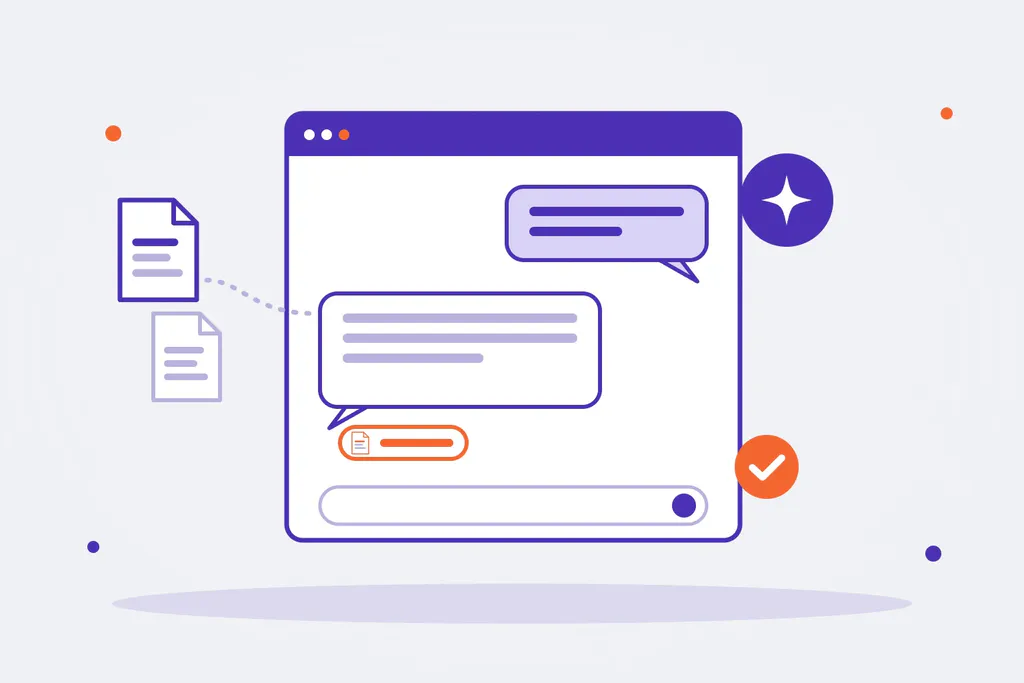
What a business needs is something else: a chatbot that answers only from its own knowledge, says where each answer comes from and hands the case to a person when it does not know. This guide explains how a chatbot like that works, what companies use it for and what to consider before launching one.
What kind of chatbot does a business need
| How it answers | When it fits | The risk | |
|---|---|---|---|
| Rule-based chatbot | Menus and hand-written answers | Very frequent, closed questions (opening hours, order status) | Falls short with any open question, and every answer has to be maintained |
| Generic AI chatbot | A language model with what it knows from the internet | Ideas, drafts, personal use | Confidently answers things that are not about your company, or are not true |
| AI chatbot with RAG | Searches the company’s knowledge base and writes only from what it finds | Customer service, support, internal questions | Depends on the knowledge being organised and up to date |
| AI agent | Besides answering, it takes actions in other systems | Multi-step processes (creating an order, opening a ticket) | Needs permissions, limits and supervision |
For most business uses, the starting point is the third one. AI agents come later, once the chatbot answers well and you want it to act too.
What companies use an AI chatbot for
- Customer service on the website: questions about products, shipping, terms or services, at any time and in several languages.
- Internal chatbot: the team asks about procedures, policies, technical documentation or internal rules, and gets the answer with its source document.
- Technical and after-sales support: manuals, data sheets and solved tickets, to give the first answer or prepare the case for a technician.
- Sales: questions about the catalogue, compatibility or which product fits, handing over to a sales rep when the conversation calls for it.
- Onboarding: what a new employee asks in their first weeks, without always depending on a colleague.
The same engine can answer on the website, on the intranet or in a messaging channel. What changes is the entry point, not the knowledge.
How a RAG chatbot works
RAG (retrieval-augmented generation) means that, before answering, the chatbot searches the company’s information and writes from what it has found.
- Validated knowledge base. You gather the documents that count as a source: FAQs, product sheets, terms, manuals, procedures. Someone in the company decides what goes in and what does not.
- Indexing. The documents are split into chunks and stored in a vector database (for example, PostgreSQL with pgvector), which can search by meaning and not only by exact words.
- Retrieval. For each question, the system finds the chunks about the same thing.
- Writing. The language model writes the answer using only those chunks.
- Citing the source. The answer says which document it comes from, so the person asking can check it.
- Review and handover. If there is not enough information, the chatbot says so and passes the conversation to a person.
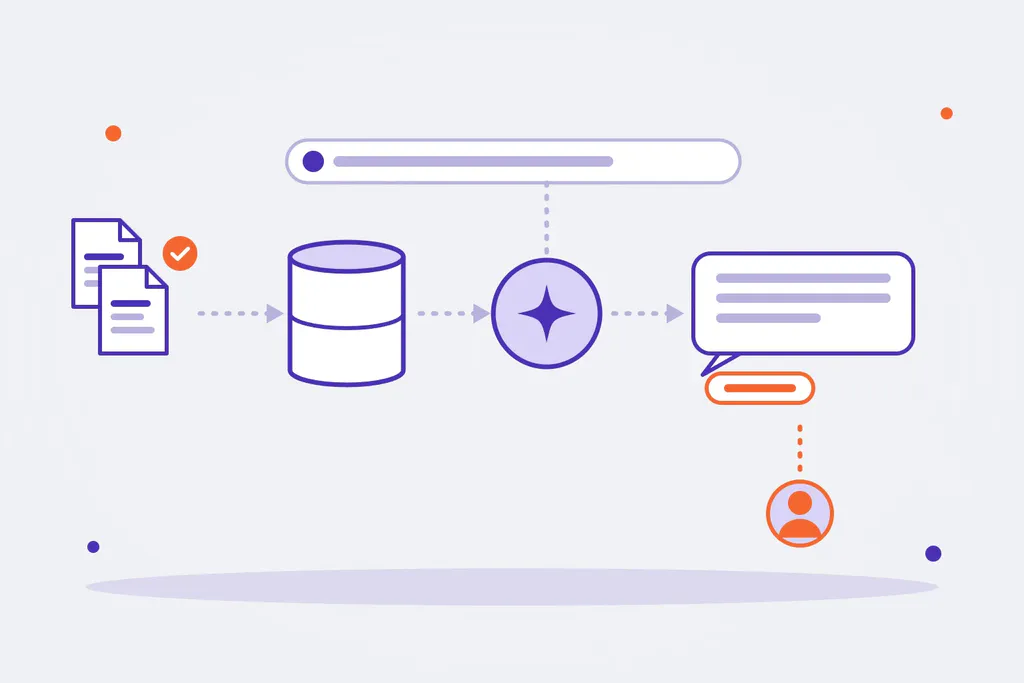
We explain the pieces behind it (data, model, code, control) in more detail in our guide to AI architecture.
How to stop it from making up answers
A business chatbot cannot improvise. What works is layering the control:
- Input filter: detects off-topic questions, attempts to manipulate the chatbot or personal data it should not receive.
- Writing only from approved content: if the answer is not in the knowledge base, it does not answer with what the model “thinks”.
- A second model that reviews every answer before showing it: it checks that the answer is backed by the sources and promises nothing the company does not offer.
- Handover to a person when information is missing or the case calls for it (a complaint, a quote, a customer’s data).
- A set of test questions run before every change, to know whether the chatbot got better or worse.
- Conversation logs: they show what people ask and what has no answer, which tells you what to add to the knowledge base.
Data, privacy and AI provider
- Where the data lives. Hosting in the EU and personal data handled under the GDPR.
- No training models on your data. The company’s information is used to answer, not to improve a third party’s model.
- Provider independence. If the system does not depend on a single language model, you can switch providers without rebuilding it when a better or cheaper one appears.
- Who maintains it. Company knowledge changes; someone must be able to update the base without going through a developer, for example from a content management system.
Off-the-shelf tool or custom chatbot
| Off-the-shelf tool | Custom chatbot | |
|---|---|---|
| Set-up | Fast, with templates | Needs a project, starting with a pilot |
| Knowledge | Upload documents or link your website | Validated sources, with the structure and permissions you need |
| Integrations | Whatever the tool includes | With your ERP, CRM, catalogue or ticketing system |
| Control | Whatever the tool allows | Rules, review and handover designed for your case |
| Data and provider | The vendor’s | You decide where it is hosted and which model it uses |
| Fits when | Simple questions and low volume | Your own knowledge, several systems, or control and privacy requirements |
Common mistakes
- Loading every company document without reviewing it: the chatbot will also repeat what is outdated or contradictory.
- Not planning what happens when it does not know the answer.
- Launching it to every customer at once, with no pilot and no test questions.
- Measuring only how many conversations there are, not how many are solved well.
- Forgetting to maintain it: products, prices and policies change, and the knowledge base has to change too.
How to get started
- Pick one specific use: customer questions about shipping and returns, or internal questions about one procedure.
- Gather and review the sources for that use, and decide who maintains them.
- Prepare the test questions with the correct answers.
- Run a pilot with a small group and review the conversations.
- Measure how many questions it solves, how many it hands over and what is missing from the base.
- Extend it to other uses or channels once the first one works.
AI chatbots at Omitsis
We build chatbots with governance and full control: they answer only from the knowledge the company has validated, cite the source, go through three layers of control and keep the data in the EU, with our own service in Node.js that does not depend on any one language model. We connect them to the systems you already use, as part of our AI solutions for business.
If you are thinking about a chatbot for your website or your team, tell us about your case. And if you are looking for someone to build it, our guide on what an AI integrator does and how to choose one may help.