
In an online store, people who use the search box already know what they want. That makes it one of the places where you can tell whether a store sells or not: if someone types the name of a product you stock and it does not show up, or shows up in the fifth row, they usually leave.
Magento (and Adobe Commerce) ships with a capable search, but out of the box it is set up for a generic catalogue. This guide explains how it works, what to configure, how advanced search is built and when it is worth moving to an external service such as Algolia or Doofinder.

How Magento search works
Since version 2.4, Magento no longer searches the MySQL database: it needs an external search engine, Elasticsearch or OpenSearch. For current versions Adobe recommends OpenSearch. Before upgrading Magento, check which engine version the new release supports, because it is one of the things that most often breaks an upgrade.
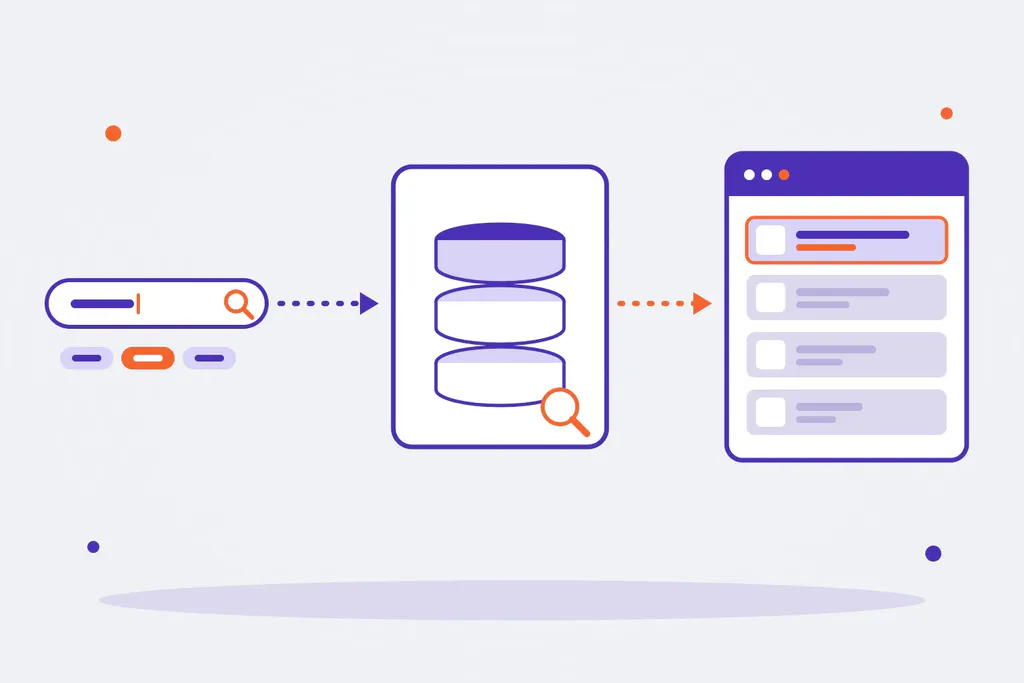
The path is always the same:
- Magento indexes the products in the engine: name, SKU, description and the attributes marked as searchable.
- When someone searches, Magento sends the query to the engine, which returns the products sorted by relevance.
- Magento applies its own rules (visibility, stock, store) and shows the results at
/catalogsearch/result/?q=..., with the search’s layered navigation.
If the index is out of date or the engine does not respond, search fails even though the rest of the store works.
Where to configure it
Under Stores > Configuration > Catalog > Catalog > Catalog Search:
- Search engine, server, port and index prefix. The Test Connection button confirms that Magento can reach the engine.
- Minimal and maximal query length. The default minimum is 3 characters: if your catalogue has short references (sizes, two-letter models), lower it.
- Autocomplete limit: how many suggestions appear while typing.
Which attributes count in search
This is the setting that changes results the most, and it lives on each attribute: Stores > Attributes > Product, Storefront Properties tab:
| Option | What it does | Recommendation |
|---|---|---|
| Use in Search | The attribute goes into the search index | Yes for name, SKU, brand, model and the references customers use. No for internal attributes |
| Search Weight (1 to 10) | How much a match on that attribute counts | High for name and SKU; low for description, or products that mention a word in passing will rank first |
| Visible in Advanced Search | The attribute becomes a field in advanced search | Only the ones a customer would filter by |
| Use in Search Results Layered Navigation | It shows up as a filter on the results page | Brand, price, size, colour and little else |
A common mistake is marking dozens of technical attributes as searchable: the index grows, relevance gets worse and unrelated products appear.
Magento advanced search
Magento has an advanced search page at /catalogsearch/advanced/, usually linked from the footer. It shows a form with one field for each attribute marked Visible in Advanced Search: name, SKU, description, price (from and to) and any you add, such as brand or material.
It is useful in technical or B2B catalogues, where customers search by reference, size or compatibility. In a fashion or consumer store almost nobody uses it: good autocomplete and clear filters on the results work better there.
Synonyms and search terms
Two Magento tools that hardly anyone configures and that change results a lot, both under Marketing > SEO & Search:
- Search Synonyms. Groups of equivalent words: “sofa, couch, settee”, “laptop, notebook”. They also cover frequent misspellings and the words customers use that are not the ones in your catalogue.
- Search Terms. The list of what people search for, how many times and how many results it returned. From here you can redirect a search to a specific page (someone searching “sale” goes to the sale category) and choose which terms appear as suggestions.
The searches with no results in Reports > Marketing > Search Terms are gold: that is the list of what your customers want and cannot find. Each term on it is a missing synonym, a badly labelled product or a product you might want to stock.
When a product does not show up in search
What to check first, in order:
- Product visibility: it must be “Catalog, Search” or “Search”. If it is “Catalog” only, it does not show up.
- Status and stock: enabled, assigned to the right website and in stock, or with “Display Out of Stock Products” turned on.
- Index:
bin/magento indexer:statustells you whether thecatalogsearch_fulltextindex is up to date. If not,bin/magento indexer:reindex catalogsearch_fulltext. With indexers in “Update by Schedule” mode, cron has to be running. - The engine responds: the error No alive nodes found in your cluster means Magento cannot reach Elasticsearch or OpenSearch (service down, wrong host or port, or authentication).
- The attribute is searchable: if people search for a reference stored in a custom attribute, that attribute needs Use in Search turned on.
Algolia, Doofinder and other alternatives
The built-in search, well configured, is enough for many stores. An external service is worth it when the catalogue is large, when search drives a big share of sales or when you need what the built-in one does not do well: advanced typo tolerance, instant results as you type, personalisation or merchandising rules to push products.
| Option | What it is | When it fits |
|---|---|---|
| Well-configured OpenSearch | The built-in engine, with tuned attributes, weights and synonyms | Most small and mid-sized stores |
| Extensions on top of the built-in engine | Modules that add rich autocomplete, typo correction or relevance rules | When you want to improve without paying for an external service |
| Algolia | External instant search service, with an official Magento extension | Large catalogues and stores that need instant results and search analytics |
| Doofinder | External service widely used by Spanish stores, with a Magento module | Stores that want a complete search layer with little development |
| Live Search | Adobe’s search service for Adobe Commerce | Adobe Commerce projects |
Before choosing, check three things: that the extension supports your Magento version and your theme (if you use Hyvä, that it has a Hyvä version), how it is priced (by searches or by products) and what happens to the filters and results pages you already have.
Search and SEO
Internal search should not compete with your categories on Google:
- Block
/catalogsearch/inrobots.txt. Results pages are endless (one for everything anyone searches) and use up Google’s crawl without adding anything. - If a search is very frequent, the answer is not to index the results: it is to create or improve the category that answers it, with its own URL and copy.
- Use what people search for inside the store to decide categories, product names and copy. It is free keyword research, with your own customers.
We go into more detail in our Magento SEO guide.
Measuring search
Without measuring you cannot tell whether changes help. Google Analytics 4 picks up internal searches with no setup, because Magento uses the q parameter in the results URL: they appear as the view_search_results event, with the search term. With that and Magento’s search terms report you can track:
- the share of sessions that use search;
- searches with no results, and whether they drop after adding synonyms;
- the conversion rate of people who search against those who do not, which is usually much higher.
Your store’s search, with Omitsis
We have been building stores with Magento and Adobe Commerce for more than fifteen years, B2C and B2B. If your store’s search does not find what it should, or you are weighing an external service, tell us about your case. You can see how we work on our Magento and e-commerce pages, and read how to integrate Magento with your ERP or how to run several stores on one Magento installation.